Explainer
Is It Risky to Store All Your Passwords in One Place?
What the 2022 LastPass breach actually proved about password manager safety, and the two things that decide whether your vault survives one.
Updated November 6, 2026 · Based on 15 sources · How we research
If you've been putting off a password manager because 'all your eggs in one basket' feels like a bad idea, this is for you. The worry is fair. It is also usually aimed at the wrong thing. The 2022 LastPass breach has become the industry's stress test, and what it revealed is more useful than scary: properly encrypted vaults mostly held, but a weak master password, or an old account stuck on a legacy key-stretching setting, could be forced open offline. The real single point of failure is not the company, it is you, and it is fixable in an afternoon.
What actually happened to LastPass in 2022
The breach came in two stages. In August 2022, attackers compromised a LastPass software developer and stole source code. They used what they learned to go after a senior DevOps engineer, exploiting a vulnerable third-party media server on the engineer's home computer and installing a keylogger that captured the corporate vault password after MFA (BleepingComputer). With those credentials the intruder reached decryption keys for an AWS S3 cloud backup and copied customer vault data.
The stolen data split in two. Unencrypted: customer names, email and billing addresses, phone numbers, IP addresses, partial credit card numbers, and the full list of website URLs each person had saved. Encrypted: the usernames and passwords inside every entry, protected by each user's master password through PBKDF2 key derivation (Wikipedia).
LastPass's initial August 2022 notice said customer data was untouched. On 22 December 2022 the company acknowledged that encrypted vault backups had been taken (Cybersecurity Dive). The UK Information Commissioner's Office later recorded more than one million affected UK users and imposed a £1,228,283 fine in November 2025, and LastPass settled a US class action for $24.5 million in February 2026, with $16 million earmarked for cryptocurrency losses (Wikipedia).
By late 2025 the stolen vaults were still producing damage. TRM Labs traced roughly $35 million in cryptocurrency thefts back to decrypted LastPass vaults, overwhelmingly from accounts whose master passwords were short, reused, or guessable (The Hacker News, TRM Labs).
Why most vaults did not get drained
Every serious password manager uses zero-knowledge encryption. The vault is encrypted on your device with a key derived from your master password, and the provider never sees the password or the key. Bitwarden, 1Password, Dashlane, Keeper, NordPass, Proton Pass and Zoho Vault all work this way (Bitwarden Security Whitepaper). You can see this across the field on our Best Password Manager 2026 list: zero-knowledge is table stakes.
That is why a stolen server backup is a bad day, not a catastrophe. The attacker ends up with ciphertext and has to brute-force the master password, one guess at a time. The key derivation function is deliberately slow so each guess is expensive. Bitwarden now defaults to 600,000 PBKDF2 iterations and also offers Argon2id, which is memory-hard and harder to accelerate on GPUs (Bitwarden KDF docs). 1Password uses 650,000 PBKDF2 iterations (1Password support).
The practical meaning: if your master password is long and random and your KDF is modern, an offline attacker trying to crack your vault is looking at timelines measured in centuries on current hardware. If any of those are weak, the number falls fast.
The single point of failure is your master password
This is the part the LastPass breach made unarguable. LastPass raised its default PBKDF2 iteration count from 5,000 to around 100,000 in 2018 but did not retroactively upgrade older accounts, so at the time of the breach a large share of legacy vaults were still being stretched at 5,000 iterations (Palant, Hive Systems).
Hive Systems' GPU benchmarks make the gap concrete. On a 12-GPU RTX 4090 rig at 5,000 iterations, a non-random master password can fall in hours. At 600,000 iterations, the same rig is slowed by two orders of magnitude, and a truly random passphrase of four or more words is effectively untouchable within any human timeframe (Hive Systems).
The practical rule: iteration count protects you, but it only multiplies the strength that is already there. 'Summer2024!' at 650,000 iterations is still bad. A random four- or five-word passphrase from the EFF diceware list is roughly 50 to 65 bits of entropy and does not care how many GPUs you throw at it.
1Password's extra layer: the Secret Key
1Password took a different architectural bet. On top of your master password it generates a 128-bit Secret Key when you create your account, and both are mixed together to derive the vault encryption key (1Password support). The server never has the Secret Key. That means a server-side theft of the encrypted vault, the LastPass scenario, does not let an attacker start guessing master passwords offline: without the Secret Key, there is no key to guess against.
This is why 1Password Individual, 1Password Families, 1Password Teams and 1Password Business get repeatedly cited for defense-in-depth. The cost is that the Secret Key has to live somewhere you can find it: on the Emergency Kit PDF, printed, in a safe, or on a second device.
Bitwarden Teams Organization, Bitwarden Premium and most other managers rely on master password plus iteration count alone. That is defensible if the password is strong and the KDF is modern, but it has one fewer layer than 1Password's model, and that difference was the whole story for people with weak LastPass master passwords.
What happens if you forget your master password
Zero-knowledge has a flip side: the provider cannot email you a reset link. Every manager handles this with recovery mechanisms you have to set up in advance.
1Password gives you three overlapping options. The Emergency Kit is a PDF with your Secret Key, your sign-in address, and space to record your account password; you print it and store it somewhere physical (1Password marketplace). Recovery Codes, launched more recently, are a one-time code you generate and store separately, which lets you reset the account password via the email on your account (1Password blog). On family and business plans, a family organizer or admin can recover another member's account, and the user gets a fresh Secret Key when they do (1Password support).
Bitwarden is stricter. There is no server-side reset. You have three pre-arranged paths: Emergency Access, where a trusted contact can request takeover of your vault after a delay you set; Organization Master Password Reset, where an admin on a Bitwarden Teams or Enterprise account can reset you; or the master password hint you stored at signup (Bitwarden support). If none of those are configured and you forget, the vault is unreadable and the only option is to delete the account and start over.
Business plans across the category, including Keeper Security Enterprise, Keeper Security Advanced Team, LastPass Business Advanced, Dashlane Business, Zoho Vault Enterprise, NordPass Business and RoboForm Business, all include admin-driven account recovery. That is one reason businesses can tolerate strict policies: there is a safety net that individuals have to build for themselves.
The setup checklist that makes a breach survivable
You cannot prevent your provider from getting hacked. You can make that hack a non-event. Every item below is either free or a one-time tax, and together they are what separated 'nothing happened' from 'cryptocurrency drained' after LastPass.
- Use a random passphrase of four or more words (EFF diceware) as your master password. Do not reuse it anywhere. Do not base it on anything personal.
- Turn on two-factor authentication on the vault itself. A hardware key such as YubiKey or Google Titan is phishing-resistant by design in a way that SMS and app-based codes are not (Panic Vault). If you can afford two keys, register both, so losing one is not a lockout.
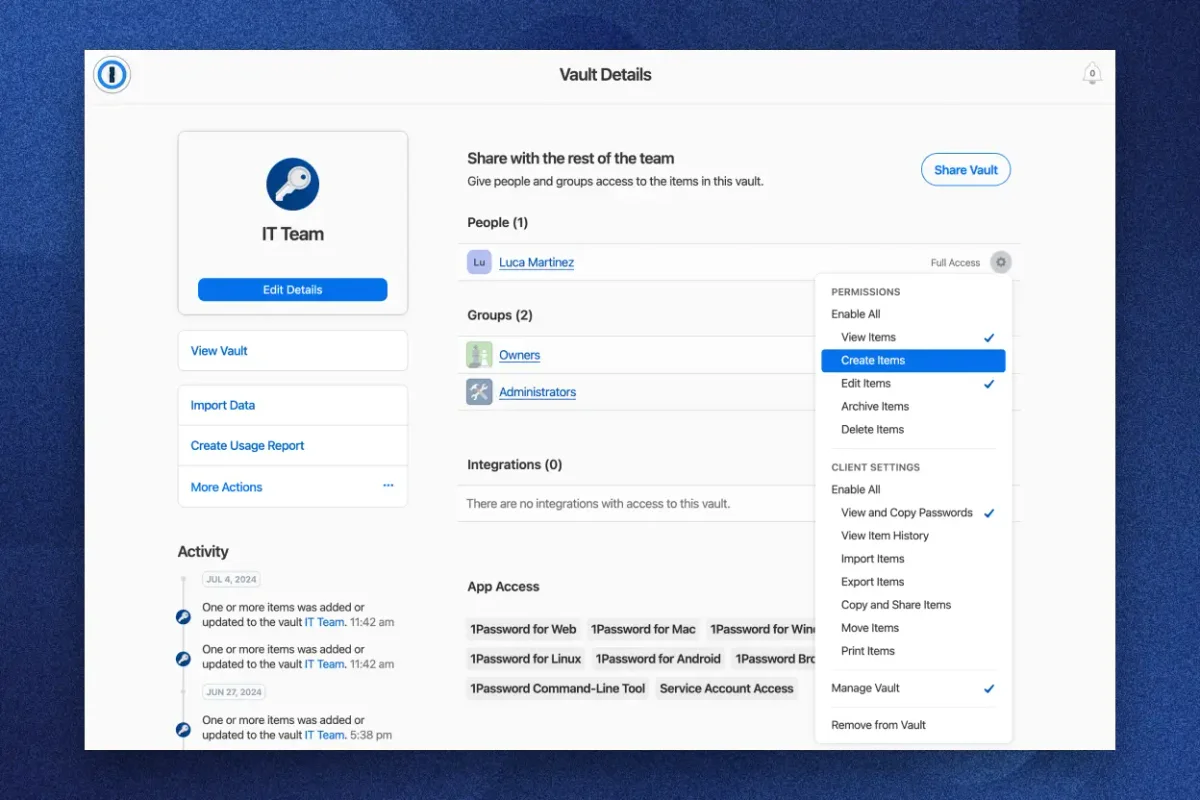
- Set up recovery before you need it. On 1Password, print the Emergency Kit and generate a Recovery Code. On Bitwarden, invite an Emergency Access contact. On a business plan, make sure at least two admins can run account recovery.
- Protect the email account tied to your vault with its own strong password and its own second factor. Email is the recovery path for everything else; if it falls, the whole chain falls.
- Keep the 2FA code for the password manager and for your main email outside the password manager, in an authenticator app or on a hardware key. Putting them inside the vault recreates a single point of failure you just worked to remove.
- If you are on an older account on any manager, check your KDF settings. On Bitwarden that is Settings, Security, Keys. On 1Password the modern iteration count is enforced server-side. On any other manager, dig until you find the setting; if it is 5,000 or 10,000, raise it.
So should you still put everything in one app?
Yes, and the LastPass episode is the reason, not the counterexample. The alternatives are worse: a browser's built-in store with weaker recovery and no cross-vendor portability, a notebook you will lose, or reuse, which is the main way accounts actually get compromised today. The 2022 breach set off months of scrutiny across the category and surfaced no equivalent incidents at 1Password, Bitwarden, Dashlane, Keeper, NordPass or Proton Pass. Architecturally the field is in better shape than it was in 2021, with higher default iteration counts, Argon2id options, and in 1Password's case the Secret Key preventing offline guessing entirely.
The honest framing is that a password manager concentrates risk in one place where that risk can actually be defended: strong master password, hardware 2FA, and prepared recovery. Spreading passwords across your head, a notepad, the browser and three reused variants concentrates risk in one place where it cannot be defended, which is memory. Pick the former, do the setup once, and stop thinking about it.
The short version
A password manager is safer than the alternatives, but only if you do three things most people skip: pick a master password that is actually random, turn on hardware-backed two-factor authentication, and configure recovery before you need it. If you want the strongest architecture available to individuals, 1Password Individual adds a Secret Key that makes a server breach nearly useless. If you want zero-knowledge with open-source transparency and a free tier, Bitwarden Premium is the pick, provided you take Emergency Access setup seriously. For businesses, admin-driven recovery and policy enforcement make options like Keeper Security Enterprise and 1Password Business the right places to look in our Best Password Managers for Teams & Businesses 2026 ranking.
See Best Password Manager 2026Questions people ask
What happens if my password manager gets hacked?+
If the provider uses zero-knowledge encryption and your master password is strong, a server-side breach gives attackers encrypted blobs they cannot read without months or years of GPU time. The 2022 LastPass breach showed this held for most users with strong, modern setups, but failed for people with weak master passwords or old accounts with 5,000 PBKDF2 iterations, whose vaults were later cracked and tied to roughly $35 million in crypto thefts by late 2025.
Is it safe to put all your passwords in one app?+
Safer than the alternatives. Reuse, browser-stored passwords and physical notebooks all fail more often than a well-set-up password manager. The risk you take on with a manager is concentrated in one place you can actually defend: a strong master password, hardware two-factor authentication, and pre-configured recovery.
What is a single point of failure in a password manager?+
People usually mean the provider, but it is really the master password. Modern managers use zero-knowledge encryption, so the provider cannot read your vault even if their servers are stolen. The attacker's only path is to brute-force your master password offline, so a short or reused one is where the chain actually breaks.
What should I learn from the LastPass breach?+
Three things. First, assume unencrypted metadata, like the list of sites in your vault, can leak even when passwords do not, which means every stored site is a future phishing target. Second, iteration counts matter and old accounts can be stuck on obsolete settings. Third, your master password is the whole fight once the vault is stolen, so make it long and random.
What happens if I forget my master password?+
Depends on the manager and what you set up in advance. 1Password lets you use an Emergency Kit, a Recovery Code, or family and business admin recovery. Bitwarden requires Emergency Access via a trusted contact or an organization admin reset, otherwise the vault is unrecoverable and must be deleted. Business plans across Keeper, Dashlane, LastPass, NordPass, Zoho Vault and RoboForm all offer admin-driven recovery.
Could someone steal all my passwords at once if the company is breached?+
Only if the encryption fails, which has not happened in the major zero-knowledge managers, or if your master password is weak enough to brute-force from the stolen vault. 1Password makes this harder still by requiring a Secret Key that never leaves your devices, so a server breach alone yields nothing to attack.
Does using a hardware key actually help?+
Yes, against the attack most likely to hit you: phishing. A YubiKey or Titan key refuses to authenticate to a lookalike site, which app-based codes and SMS cannot do. Register two keys if you can, so losing one does not lock you out.
Should I store my password manager's 2FA code inside the password manager?+
No. That recreates the single point of failure you just worked to remove. Keep the 2FA codes for the password manager itself and your main email in a separate authenticator app or on a hardware key.
Sources
What this guide is based on. We research from published specifications, independent reviews and owner reports; we did not test these products ourselves.
- 1.LastPass: DevOps engineer hacked to steal password vault data in 2022 breach, BleepingComputer
- 2.2022 LastPass data breach, Wikipedia
- 3.LastPass breach timeline: How a monthslong cyberattack unraveled, Cybersecurity Dive
- 4.LastPass 2022 Breach Led to Years-Long Cryptocurrency Thefts, TRM Labs Finds, The Hacker News
- 5.TRM Traces Stolen Crypto from 2022 LastPass Breach, TRM Labs
- 6.Examining the LastPass Breach Through our Password Table, Hive Systems
- 7.Bitwarden Security Whitepaper, Bitwarden
- 8.Encryption Key Derivation, Bitwarden
- 9.Bitwarden design flaw: Server side iterations, Palant
- 10.How PBKDF2 strengthens your 1Password account password, 1Password
- 11.1Password Emergency Kit, 1Password
- 12.Introducing recovery codes: Never lose access to 1Password, 1Password
- 13.Recover accounts for family or team members, 1Password
- 14.My Master Password, Bitwarden
- 15.YubiKey vs. TOTP Apps: Best 2FA in 2026, Panic Vault
Products mentioned
More on password managers
Explainer
Passkeys Are Here: Do You Still Need a Password Manager?
Passkeys cut phishing where sites support them, but most of the web still runs on passwords in 2026. Here is why a password manager is still the right single vault.
Explainer
Browser Passwords vs. a Real Password Manager: What You Actually Give Up
Chrome, Safari and Firefox save passwords for free, but they skip breach alerts on your email, cross-browser access, structured sharing and vault audits. Here is what that costs you.
Buying guide
How to Choose a Password Manager: The Decisions That Actually Matter
Four choices shape your pick: free vs paid, cloud vs local, audited zero-knowledge vs marketing, and what happens if you forget the master or the company folds.